


Introduction
Online classes and digital study tools have made learning more flexible, but they have also made laptop screens feel crowded. A student may need to watch a lecture, take notes, follow slides, check the class chat, and open a textbook at the same time. On one screen, that can quickly become messy.
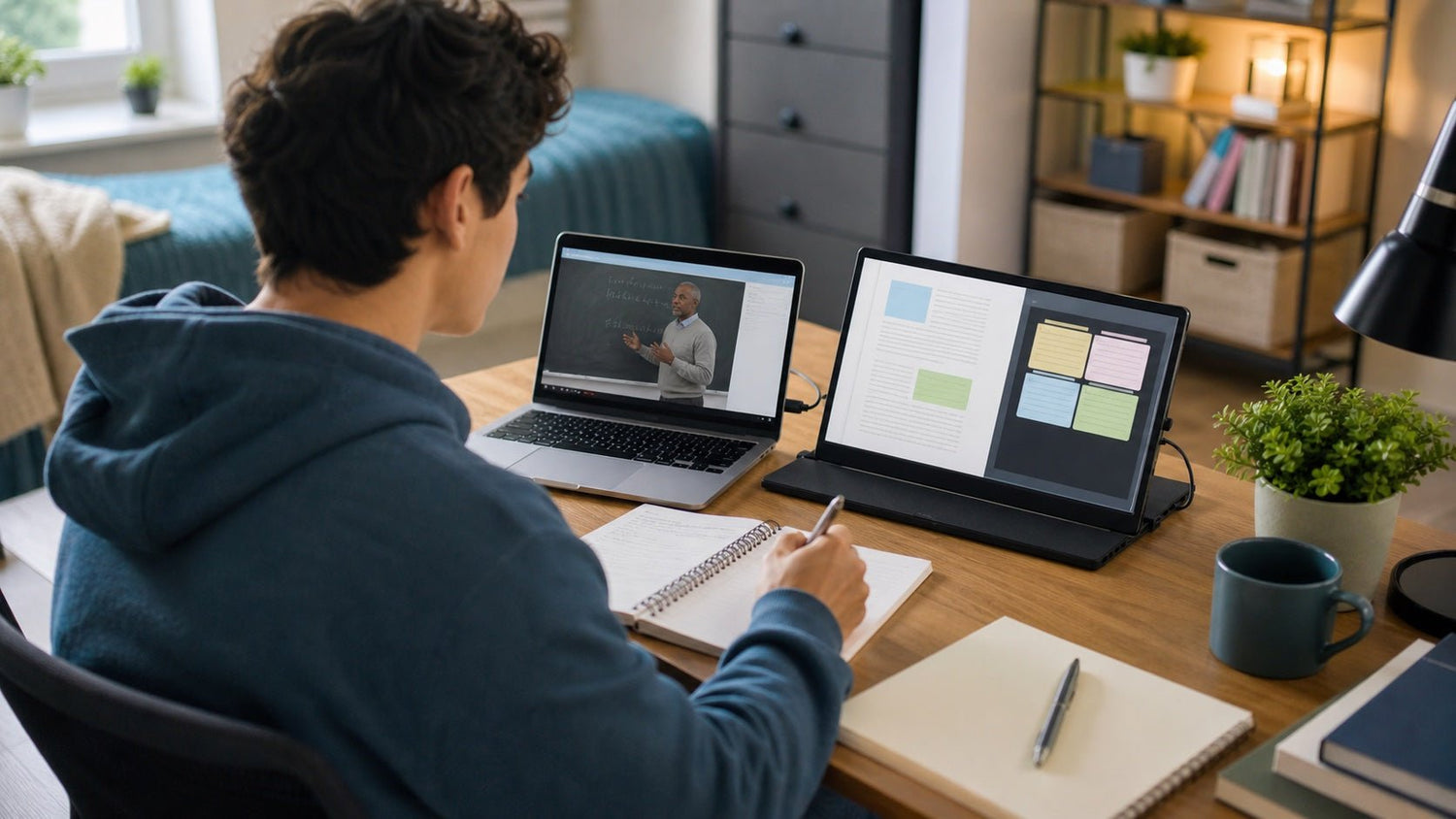
This is where a second screen for studying can help. Instead of constantly switching between tabs, students can keep their main task on one screen and supporting materials on another. For example, they can watch a Zoom lecture on a laptop while taking notes on a tablet, or read a PDF textbook on one monitor while writing an assignment on another.
A second screen does not automatically make someone a better student. However, when used with a clear purpose, it can make studying more organized, reduce distractions, and improve the online learning experience.
What Is a Second Screen for Studying?
A second screen for studying is any extra display that supports a student’s main device. It can be a monitor, tablet, laptop, or even a smartphone.
The idea is simple: one screen is used for the main study task, while the other screen is used for reference, notes, class materials, or communication.
For example:
- A laptop can show an online class while a tablet is used for digital note-taking.
- A monitor can display research articles while a laptop is used for writing an essay.
- A tablet can show lecture slides while a student solves problems in a notebook.
- A phone can be used only for a timer, dictionary, or quick reminders.
The best setup depends on the student’s subject, study habits, and available devices.
Benefits of Using a Second Screen for Studying
1. Less Tab Switching
One of the biggest advantages of a dual screen study setup is reducing the need to jump between tabs. Switching between a lecture, slides, notes, and a browser can break concentration.
With two screens, students can keep important materials visible at the same time. This makes studying feel smoother and helps them stay focused on the task.
2. Better Digital Note-Taking
A second screen makes digital note-taking easier because the source material can stay open. Students can place lecture slides, a video lesson, or a textbook on one screen and write notes on the other.
This works well with tools such as Google Docs, Microsoft OneNote, Notion, Apple Notes, or GoodNotes. Instead of pausing repeatedly to find information, students can look across and continue writing.
3. Improved Research Workflow
Research assignments often involve reading articles, comparing sources, and collecting citations. A second screen can make this process less confusing.
For example, a student writing an essay can keep their draft on one screen and a journal article, citation tool, or source document on the other. This helps them check facts, compare ideas, and avoid losing track of useful information.
4. Easier Online Classes
A second screen for online classes is useful because students often need to manage several things at once. They may need to see the teacher, follow slides, read the chat, and take notes.
Instead of squeezing everything into one small screen, students can separate the class from their notes. This makes online learning feel more organized and easier to follow.
5. Better Study Organization
A second screen can help students create a cleaner study setup. Each screen can have a specific role.
For example:
- Main screen: assignment, quiz, essay, or coding project
- Second screen: lecture notes, textbook, slides, dictionary, or class chat
This simple separation reduces clutter and helps students stay in control of their study materials.
How Students Can Use a Second Screen for Online Classes
Watch Lectures on One Screen and Take Notes on Another
This is one of the easiest ways to use a second screen. Students can keep Zoom, Google Meet, Microsoft Teams, or a recorded lecture on one screen while using the other for notes.
This setup is helpful because the lecture stays visible while the student writes. It also reduces the need to pause, minimize windows, or search for the right tab.
Keep Slides Open Beside Your Notes
Many teachers share slides before or during class. Students can place the slides on one screen and their note-taking app on the other.
This is especially useful for subjects with diagrams, formulas, charts, timelines, or step-by-step explanations.
Follow the Class Chat Without Losing Focus
In online classes, teachers often share links, reminders, questions, or assignment details in the chat. A second screen allows students to keep the class chat visible without covering the lecture or their notes.
This can help students participate more actively and avoid missing important information.
Use a Digital Textbook While Studying
A second screen is also useful for textbook-based classes. Students can keep a digital textbook or PDF open on one screen while answering questions, writing summaries, or completing homework on another.
For example, a student might read a biology textbook on a tablet while writing answers in Google Docs on a laptop.
Work Better During Group Projects
For group projects, one screen can show the video call while the other displays a shared document, presentation, spreadsheet, or online whiteboard.
This makes collaboration easier because students can talk and work on the project at the same time.
Best Ways to Set Up a Second Screen Study Space
Position Your Screens Comfortably
Place the main screen directly in front of you. The second screen should be slightly to the side and at a similar height if possible.
If the second screen is too low, too far away, or placed at an awkward angle, it may cause neck or shoulder strain. A tablet stand or monitor riser can help improve the viewing angle.
Give Each Screen a Clear Purpose
Before studying, decide what each screen will be used for. This prevents the second screen from becoming a distraction.
Example setup:
- Laptop: essay draft
- Monitor: research sources
- Tablet: lecture slides
- Phone: study timer only
When every screen has a job, the study session becomes easier to manage.
Keep Only Study-Related Apps Open
More screen space does not mean more productivity. If the second screen is filled with social media, shopping pages, messages, or entertainment, it can hurt focus.
Before starting, close unrelated apps and browser tabs. Keep only the tools needed for the current task.
Adjust Brightness and Lighting
Both screens should have comfortable brightness levels. If one screen is much brighter than the other, your eyes may get tired faster.
Good room lighting also matters. Avoid studying in a dark room with bright screens for long periods.
Keep the Desk Simple
A clean desk supports a better study setup. Keep essentials nearby, such as a notebook, pen, keyboard, mouse, charger, and water bottle. Remove items that are not needed.
A second screen is most useful when the physical workspace is also organized.
Second Screen Ideas for Different Types of Students
Online Class Students
Online class students can use one screen for the live class and another for notes, slides, or class resources.
Example setup:
- Screen 1: Google Meet or Zoom
- Screen 2: Google Docs notes and class slides
Exam Preparation Students
Students preparing for exams can use one screen for practice questions and another for revision notes, formulas, or flashcards.
Example setup:
- Screen 1: practice test
- Screen 2: formula sheet, Quizlet, or revision notes
Research Students
Students writing essays, reports, or literature reviews can use a second screen to compare sources and organize references.
Example setup:
- Screen 1: essay draft
- Screen 2: research article, PDF, or citation manager
Coding Students
Coding students often need to view tutorials, documentation, and code at the same time. A second screen can make this workflow much smoother.
Example setup:
- Screen 1: code editor
- Screen 2: documentation, tutorial video, or terminal output
Language Learners
Language learners can use one screen for reading or listening practice and another for vocabulary notes, grammar explanations, or a dictionary.
Example setup:
- Screen 1: video, article, or listening exercise
- Screen 2: dictionary and vocabulary list
Visual Learners
Visual learners may benefit from keeping diagrams, mind maps, animations, or videos open while taking notes.
Example setup:
- Screen 1: educational video or diagram
- Screen 2: notes, summary sheet, or mind map
Common Mistakes to Avoid
Using the Second Screen for Entertainment
The biggest mistake is turning the second screen into an entertainment screen. Watching videos, scrolling social media, or chatting with friends while studying can divide attention and reduce learning quality.
A second screen should support the study session, not compete with it.
Opening Too Many Tabs
A second screen can make it tempting to open even more tabs. This can create digital clutter and make it harder to find useful information.
A better approach is to open only what is needed for the current task.
Multitasking Too Much
Multitasking while studying can feel productive, but it often reduces focus. A second screen should help with one main task, not create several competing tasks.
For example, watching a lecture while taking notes is useful. Watching a lecture while checking messages, browsing websites, and reviewing flashcards at the same time is less effective.
Ignoring Posture
Poor screen placement can lead to neck, back, and shoulder discomfort. Students who study for long periods should make sure their screen height, chair position, and desk layout are comfortable.
Thinking More Screens Always Means Better Studying
A second screen is a tool, not a complete study method. Students still need active learning habits such as summarizing, practicing, reviewing, and testing themselves.
More screen space only helps when it is used intentionally.
What to Look for in a Second Screen for Studying
Students do not always need the most expensive monitor or tablet. The best second screen depends on how and where they study.
A larger monitor may be useful for students who study at a desk every day. A tablet may be better for students who move between classrooms, libraries, and home. A smartphone can work for timers, dictionaries, or quick references, but it is usually too small for serious reading or note-taking.
When choosing a second screen, students should consider:
- Screen size
- Portability
- Eye comfort
- Battery life
- Desk space
- Compatibility with the main device
- Touchscreen or stylus support
- Budget
For many students, the best option is the device they already own. A tablet, old monitor, or spare laptop can become a useful second screen with the right setup.
Tips to Stay Focused While Using a Second Screen
Turn Off Notifications
Notifications can quickly break concentration. Before studying, turn on Do Not Disturb mode or mute apps that are not needed.
This applies to laptops, tablets, and phones.
Use Full-Screen Mode
Full-screen mode helps reduce visual clutter. Students can keep the lecture full-screen on one display and notes full-screen on the other.
This makes it easier to focus on study materials instead of background apps or browser tabs.
Organize Tabs Before Starting
Before a study session, open only the resources needed for that task. Arrange them across the screens so everything is easy to access.
This small step can save time and reduce frustration later.
Use a Study Timer
A timer can help students stay focused for a set period. For example, they can study for 25 or 50 minutes, then take a short break.
The second screen can display a timer, but it should not become a reason to check unrelated apps.
Separate Study and Entertainment
It helps to create a simple rule: during study time, the second screen should show only study-related content.
Entertainment, social media, and personal messages can wait until breaks. This makes the study setup easier to control.
Is a Second Screen Worth It for Students?
A second screen can be worth it for many students, especially those who attend online classes, write research papers, code, take digital notes, or study with multiple resources.
It can save time, reduce tab switching, and make online learning more organized. It can also help students keep lectures, notes, textbooks, and class materials visible at the same time.
However, a second screen is not necessary for every student. Some students work well with one laptop or a paper notebook. Others may find that an extra screen creates more distractions.
The value depends on how the screen is used. If it supports focus, organization, and active learning, it can be a useful part of a student’s study setup. If it becomes a place for entertainment or random multitasking, it may reduce productivity.
Conclusion
A second screen for studying can help students create a more organized and flexible learning environment. It is useful for online classes, note-taking, research, coding, exam preparation, and group projects.
The key is to use the second screen with purpose. Each screen should have a clear role, and distractions should be removed before studying begins.
For students who manage digital assignments and online classes every day, a second screen can make studying feel smoother, less crowded, and easier to control.
FAQ
1. What is the best second screen for studying?
The best second screen depends on the student’s needs. A monitor is useful for a desk setup, while a tablet is better for portability and digital note-taking. A smartphone can work for quick references, but it is usually too small for long study sessions.
2. Can I use a tablet as a second screen for studying?
Yes. A tablet can be used for lecture slides, digital textbooks, notes, videos, flashcards, or online class materials. It is also useful for students who move between home, school, and the library.
3. Is a second screen good for online classes?
Yes. A second screen for online classes can help students watch lectures, take notes, follow slides, and keep an eye on class chat without constantly switching windows.
4. Does a second screen improve productivity?
A second screen can improve productivity when it is used with a clear purpose. It helps reduce tab switching and keeps study materials visible. However, it can also become distracting if used for entertainment or unrelated apps.
5. How do students avoid distractions while using a second screen?
Students can avoid distractions by turning off notifications, closing unrelated apps, using full-screen mode, organizing tabs before studying, and keeping the second screen focused on study materials only.

Leave a comment
This site is protected by hCaptcha and the hCaptcha Privacy Policy and Terms of Service apply.