


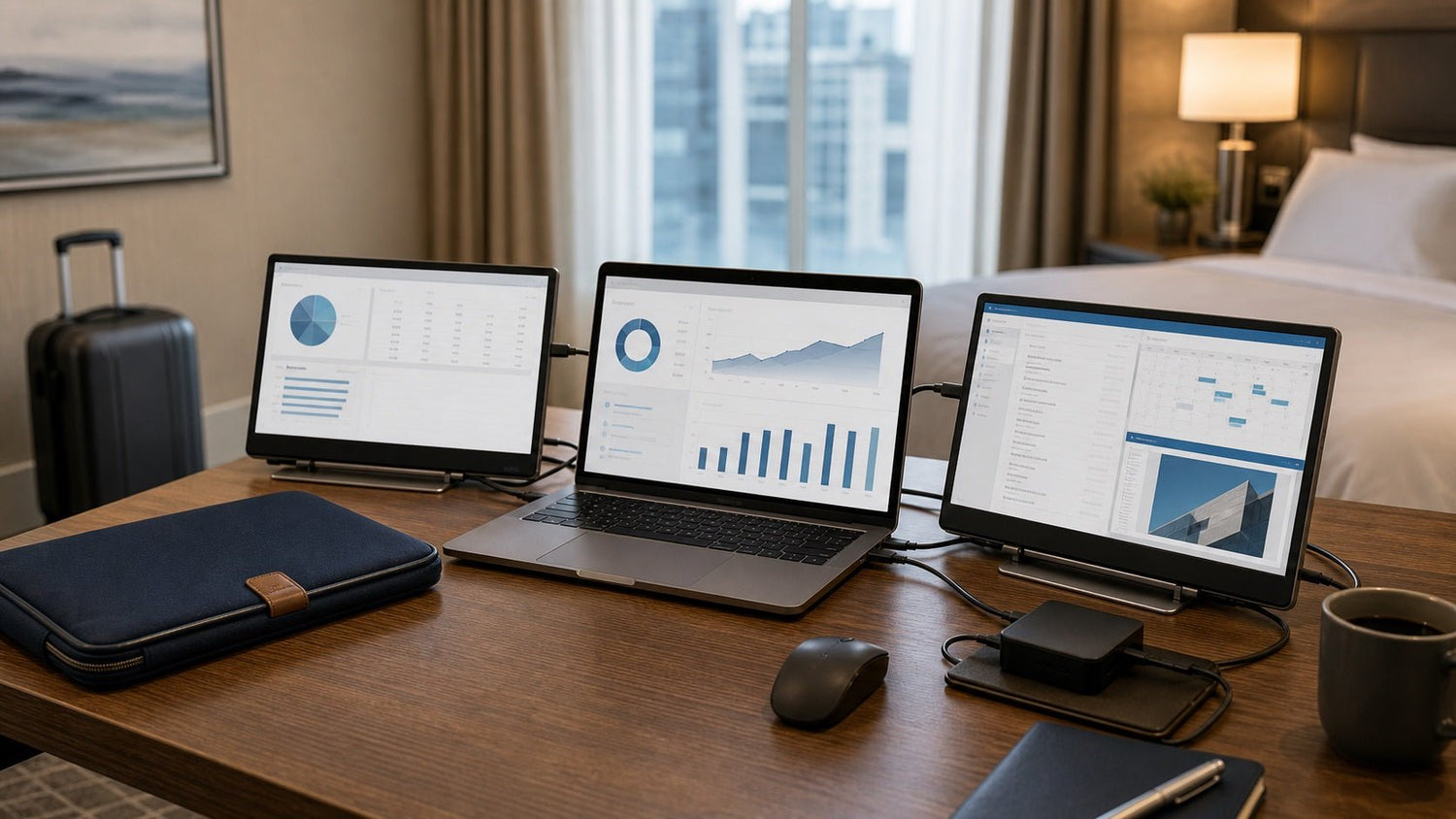
Introduction: Why a Mobile Workstation Setup Matters
A hotel desk, an airport lounge, and a client conference room all have one thing in common: none of them are designed around your workflow.
That is why a reliable mobile workstation setup matters for business travel. With the right gear, you can turn almost any temporary space into a productive, secure, and comfortable place to work.
For business travelers, productivity depends on more than carrying a laptop. You may need to join video calls, review presentations, analyze spreadsheets, access cloud files, protect confidential data, and respond to urgent messages between flights or meetings.
A strong mobile workstation setup helps you work with fewer delays. It gives you the right balance of portability, performance, comfort, power, and security. The goal is not to carry a full office in your bag. The goal is to build a travel-friendly workspace that is easy to pack, quick to set up, and dependable wherever business takes you.
What Is a Mobile Workstation Setup?
A mobile workstation setup is a portable work arrangement designed for professionals who need to stay productive outside a traditional office. It usually includes a laptop, charging gear, connectivity tools, portable accessories, and ergonomic support.
Unlike a fixed office desk, a mobile workstation must adapt to different environments. You may be working from:
- A hotel room before an early meeting
- An airport lounge during a flight delay
- A coworking space between client visits
- A conference venue with limited desk space
- A train, café, or temporary office
- A client site with unfamiliar equipment
The best mobile workstation setup should support three core goals:
- Work efficiently without wasting time setting up.
- Stay comfortable during long work sessions.
- Protect your data when working in public or shared spaces.
A portable workstation should feel simple, not complicated. Every item in your bag should solve a real problem.
Essential Components of the Best Mobile Workstation Setup
The right setup depends on your role, travel frequency, and workload. However, most business travelers benefit from a few essential tools.
1. A Reliable Laptop or Mobile Workstation
Your laptop is the center of your mobile workstation setup. It should be powerful enough for your daily tasks but light enough to carry comfortably.
For general business use, prioritize:
- Long battery life
- Lightweight design
- Fast startup
- Comfortable keyboard
- Good webcam and microphone
- Strong Wi-Fi performance
- USB-C charging
- Built-in security features
For demanding work, such as design, software development, data analysis, video editing, or engineering, consider a higher-performance mobile workstation with more memory, stronger processing power, better cooling, and more storage.
The best laptop for business travel is not always the most powerful one. It is the one that gives you reliable performance without making your carry-on bag unnecessarily heavy.
2. Portable Monitor
A portable monitor is one of the most useful upgrades for frequent business travelers. It gives you more screen space without requiring a permanent desk.
This is especially helpful when you need to:
- Compare documents side by side
- Work with large spreadsheets
- Edit presentations
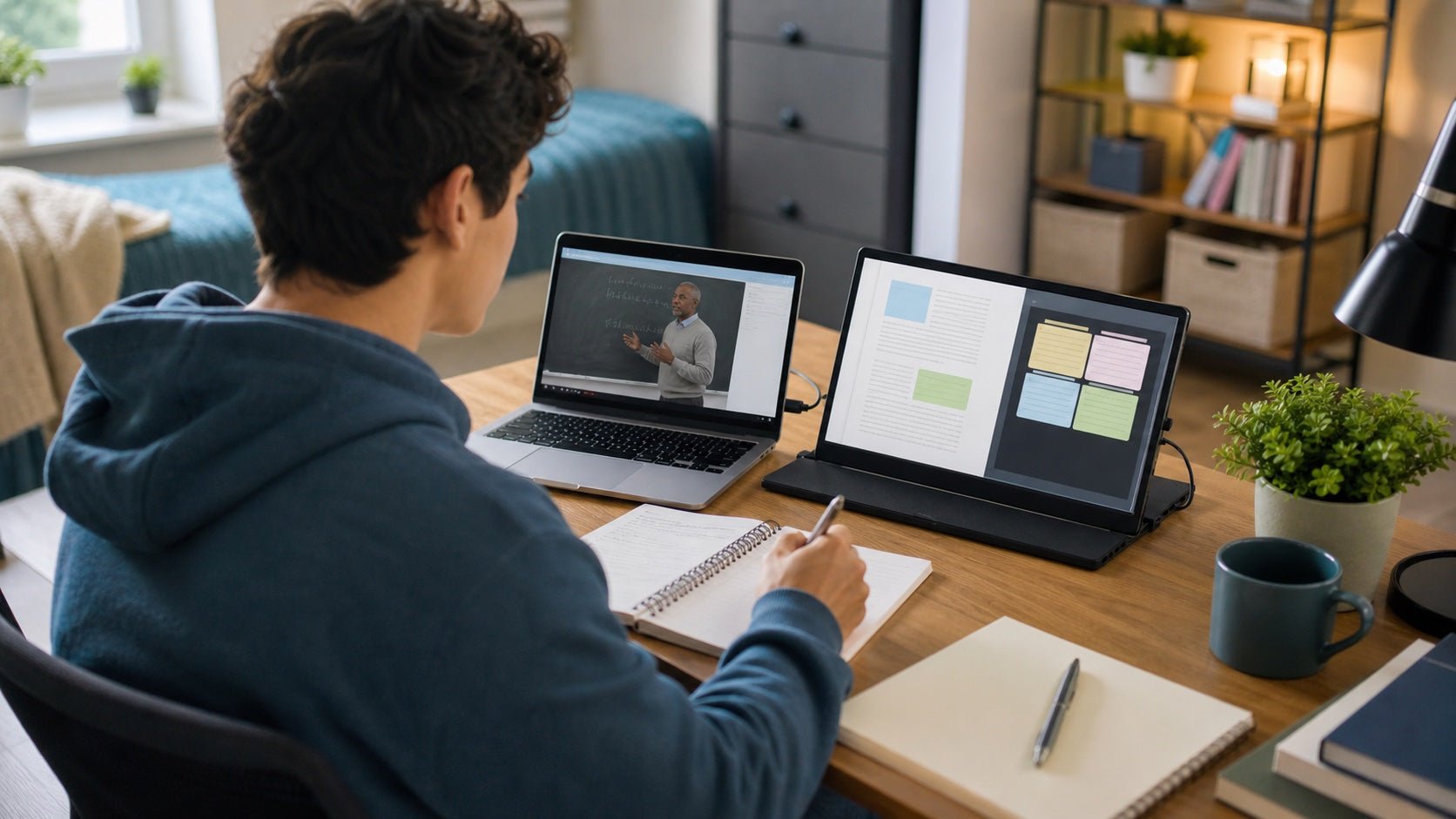
- Keep video calls open while taking notes
- Monitor dashboards or project tools
- Review contracts or reports
For business travel, look for a portable monitor with:
- 14-inch to 16-inch screen size
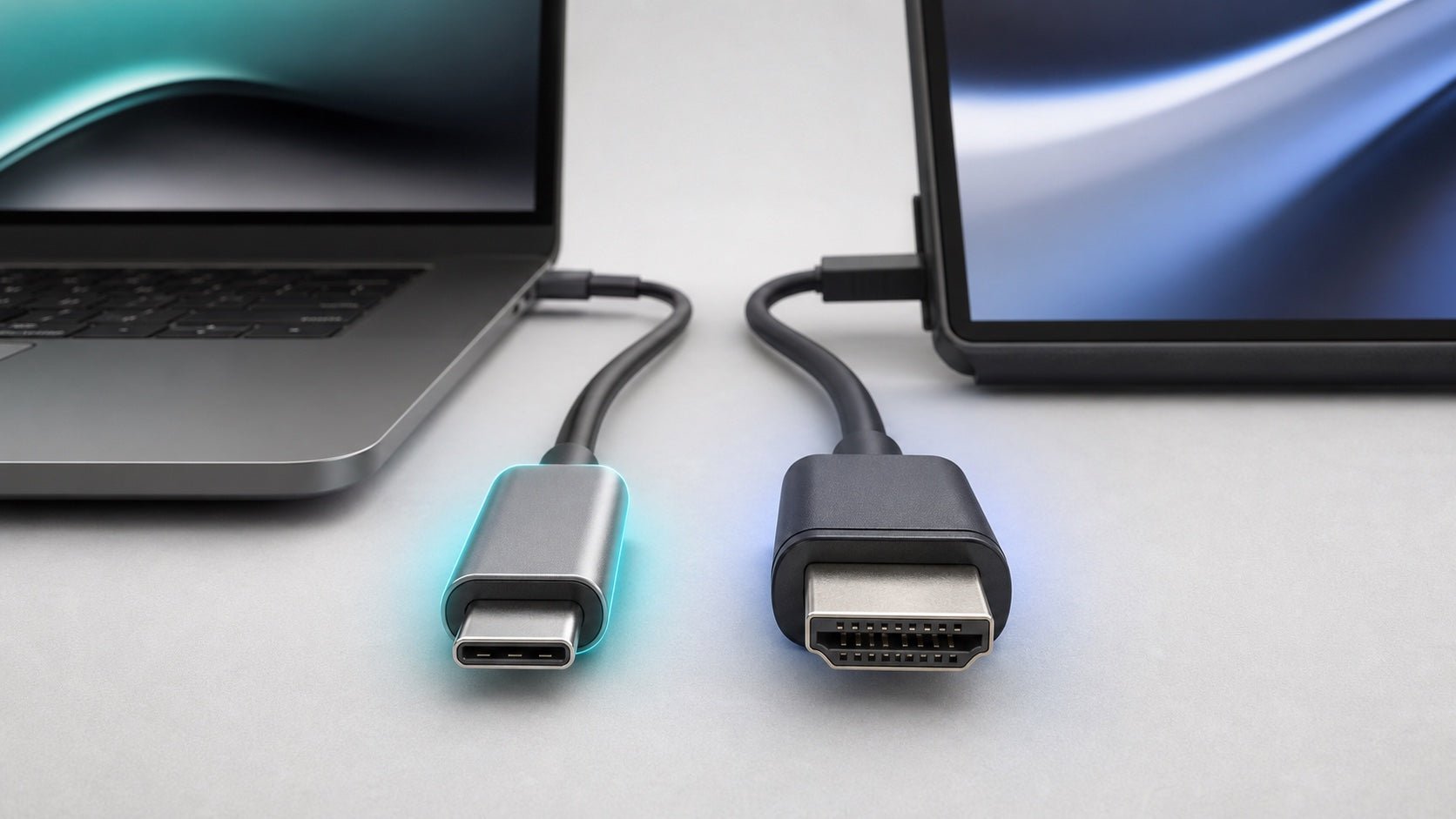
- USB-C single-cable connection
- Lightweight design
- Matte or anti-glare display
- Protective cover or sleeve
- Stable built-in stand
- Good brightness for varied lighting conditions
A second screen can make a hotel desk feel much closer to a real office workstation.
3. Compact Keyboard and Mouse
A laptop keyboard and trackpad may be enough for short tasks, but they are not ideal for long work sessions. A compact keyboard and travel mouse can improve speed, comfort, and accuracy.
This matters most when working on:
- Spreadsheets
- Slide decks
- Reports
- CRM updates
- Design tools
- Project management platforms
A wireless keyboard and mouse also help create a more natural desk posture when your laptop is raised on a stand.
4. Foldable Laptop Stand
A foldable laptop stand is a small accessory that can make a large difference. It raises your screen closer to eye level, helping reduce neck and shoulder strain.
This is useful when working from:
- Hotel desks
- Coworking tables
- Client offices
- Conference rooms
- Temporary shared workspaces
For travel, choose a laptop stand that is lightweight, foldable, stable, and easy to fit into a laptop bag.
5. Multi-Port Charger
Power is one of the biggest challenges in business travel. A multi-port USB-C charger helps reduce the number of adapters you need to carry.
A good charging setup should support:
- Laptop
- Phone
- Tablet
- Headphones
- Portable monitor
- Power bank
Using one charger for several devices keeps your portable office setup cleaner and easier to manage.
6. Noise-Canceling Headphones or Earbuds
Business travel often means working in noisy environments. Airports, cafés, hotel lobbies, and shared offices are rarely quiet.
Noise-canceling headphones or earbuds help with:
- Video calls
- Focus work
- Online meetings
- Voice notes
- Long flights
- Reducing background noise
For frequent calls, microphone quality matters as much as sound quality.
7. Secure Internet Backup
Do not depend on one internet source. Hotel Wi-Fi can be slow, airport networks can be unstable, and client sites may restrict access.
A strong mobile workstation setup should include backup connectivity options, such as:
- Phone tethering
- Mobile hotspot
- Travel router
- Offline file access
- Cloud sync before travel
Reliable internet is essential for video meetings, cloud documents, messaging tools, and remote system access.
Recommended Mobile Workstation Setups by Travel Style
Not every traveler needs the same setup. A sales executive attending meetings for one day has different needs from a consultant working from a hotel for a week.
Minimal Setup: Best for Short Business Trips
This setup is ideal for light work, quick meetings, and one- or two-day trips.
Recommended items:
- Laptop
- USB-C charger
- Phone cable
- Wireless earbuds
- Travel mouse
- Small adapter or USB-C hub
- Tech pouch
This setup works well for email, presentations, CRM updates, video calls, and light document editing.
Productivity Setup: Best for Consultants and Remote Professionals
This setup is better for longer trips or heavier workdays.
Recommended items:
- Laptop
- Portable monitor
- Compact keyboard
- Travel mouse
- Foldable laptop stand
- Multi-port charger
- Noise-canceling headphones
- VPN
- Privacy screen
- Cable organizer
This version is ideal for professionals who need to work several hours per day from hotels, coworking spaces, or client offices.
Power User Setup: Best for Designers, Developers, Analysts, and Creators
This setup is designed for demanding work that requires more performance and reliability.
Recommended items:
- High-performance laptop or mobile workstation
- Portable monitor
- External SSD
- USB-C hub or dock
- Compact keyboard and mouse
- Laptop stand
- High-capacity power bank
- Backup internet option
- Privacy screen
- Noise-canceling headphones
- Extra cables
- Cloud backup system
This setup is best for people working with large files, creative software, financial models, code, engineering tools, or video content.
Best Setup by Business Traveler Type
Different professionals should prioritize different tools.
| Traveler Type | Best Setup Focus | Recommended Gear |
|---|---|---|
| Sales executive | Speed and presentations | Laptop, charger, earbuds, HDMI/USB-C adapter, phone cable |
| Consultant | Full-day productivity | Laptop, portable monitor, keyboard, mouse, VPN, laptop stand |
| Financial analyst | Screen space and privacy | Laptop, portable monitor, privacy screen, secure hotspot, mouse |
| Designer | Visual accuracy and storage | Powerful laptop, portable monitor, external SSD, stylus or tablet |
| Software developer | Performance and reliability | High-memory laptop, external drive, second screen, secure connection |
| Executive | Lightweight communication | Slim laptop, premium headset, charger, presentation adapter |
| Content creator | Power and media handling | Mobile workstation, SSD, monitor, headphones, power bank |
This approach helps you avoid overpacking. Start with your actual work needs, then choose the gear that supports them.
How to Choose the Right Laptop for Business Travel
When choosing a laptop workstation for travel, avoid focusing only on specifications. Think about how the device performs in real travel conditions.
Ask these questions:
- Can it last through meetings without constant charging?
- Is it light enough to carry through airports?
- Does it charge through USB-C?
- Can it connect easily to monitors and projectors?
- Is the webcam good enough for professional calls?
- Does it have enough power for your daily software?
- Does it include security features such as fingerprint login or facial recognition?
- Is the keyboard comfortable for long typing sessions?
For most business travelers, the best choice is a durable, lightweight laptop with strong battery life and enough ports or adapter support. For technical users, performance matters more, but portability should still be considered.
Portable Monitor and Screen Setup Tips
A portable monitor can improve your workflow, but only if it is easy to set up.
For the cleanest arrangement, place your laptop on a stand and position the portable monitor beside it. Use a separate keyboard and mouse so you are not reaching awkwardly toward the laptop.
A practical screen arrangement may look like this:
- Laptop screen for email, chat, or video calls
- Portable monitor for documents, spreadsheets, dashboards, or presentations
- Keyboard centered in front of you
- Mouse placed at a natural arm position
- Charger and cables routed to one side
This layout keeps your work area organized and reduces physical strain during longer sessions.
Power, Charging, and Cable Management
A mobile workstation setup can quickly become frustrating if your cables are disorganized. Business travelers should aim for a simple, repeatable charging system.
A strong travel charging kit may include:
- Multi-port USB-C charger
- Laptop charging cable
- Phone cable
- Portable monitor cable
- Power bank
- International travel adapter
- Small USB-C hub
- Cable ties or magnetic clips
- Compact tech pouch
Cable management is not just about keeping your bag neat. It also helps prevent forgotten accessories, damaged cables, and setup delays.
Use one pouch for all small tech items. Keep cables grouped by function: charging, display, data transfer, and adapters. Before leaving a hotel or meeting room, check the pouch instead of checking loose pockets in your bag.
Internet Connectivity and Data Security
Security is a major part of any business travel setup. When you work from public or shared spaces, you may expose sensitive information without realizing it.
To improve connectivity, prepare more than one internet option:
- Hotel or coworking Wi-Fi
- Phone tethering
- Mobile hotspot
- Offline copies of important files
- Pre-synced cloud folders
To improve security, use:
- VPN on public Wi-Fi
- Multi-factor authentication
- Strong device passwords
- Automatic screen lock
- Device encryption
- Secure cloud backup
- Privacy screen
- Updated software
- Password manager
A privacy screen is especially useful on flights, trains, and in airport lounges. It reduces the chance of nearby people seeing confidential documents, emails, or dashboards.
Good security should become part of your travel routine. Connect safely, lock your screen when stepping away, and avoid opening sensitive files in crowded public spaces unless necessary.
Ergonomics for Business Travel
Travel workspaces are often uncomfortable. Hotel chairs, low tables, and narrow desks can make long sessions difficult.
Small ergonomic choices can improve comfort:
- Raise your laptop with a foldable stand.
- Use a separate keyboard and mouse.
- Keep your screen close to eye level.
- Sit with your shoulders relaxed.
- Take short breaks during long sessions.
- Use headphones to reduce noise fatigue.
- Avoid working from a bed for extended periods.
A travel-friendly workspace does not need to be perfect. It only needs to be better than hunching over a laptop for several hours.
Packing Tips for a Portable Office Setup
The best mobile workstation is the one you can carry consistently. Overpacking defeats the purpose of a portable setup.
Use a three-layer packing system.
Core Kit
Carry this on every business trip:
- Laptop
- Charger
- Phone cable
- Earbuds or headphones
- Travel mouse
- Essential adapter
Productivity Kit
Add this for longer work sessions:
- Portable monitor
- Compact keyboard
- Laptop stand
- USB-C hub
- Extra cable
- Privacy screen
Backup Kit
Carry this when reliability is critical:
- Power bank
- Mobile hotspot
- External SSD
- International adapter
- Spare charging cable
- Offline files
Before each trip, review your schedule. If the trip is mostly meetings, keep the setup light. If the trip includes deep work, reporting, editing, or analysis, bring the productivity kit.
Common Mobile Workstation Setup Mistakes to Avoid
A mobile workstation should make work easier. Avoid these common mistakes:
Carrying Too Much Gear
More gear does not always mean more productivity. If you do not use an accessory regularly, remove it from your travel kit.
Depending on Public Wi-Fi Only
Always have a backup internet option. A weak connection can affect video calls, file uploads, cloud access, and client communication.
Ignoring Ergonomics
Working from a laptop without a stand, keyboard, or mouse can become uncomfortable during long trips. Small accessories can prevent major discomfort.
Forgetting Meeting Room Adapters
Client offices and conference rooms may use different display connections. A compact USB-C hub or HDMI adapter can prevent presentation problems.
Packing Loose Cables
Loose cables are easy to lose and hard to manage. Use a dedicated tech pouch.
Not Preparing Files Offline
Flights, hotel Wi-Fi issues, and client network restrictions can block access to cloud files. Download key documents before travel.
Choosing Power Over Portability
A powerful laptop is useful, but not if it becomes a burden to carry. Match performance to your actual workload.
Final Thoughts: Build a Mobile Workstation Setup Around Your Workflow
The best mobile workstation setup for business travel is not the same for everyone. A consultant may need a portable monitor and keyboard. A sales executive may only need a lightweight laptop, charger, earbuds, and presentation adapter. A designer or analyst may need more power, more storage, and more screen space.
Start with your workflow, not the gear.
If your work depends on meetings, prioritize battery life, audio quality, connectivity, and presentation support. If your work depends on analysis or creation, prioritize performance, screen space, storage, and ergonomics.
A strong mobile workstation setup should be portable enough to carry, fast enough to assemble, comfortable enough for real work, and secure enough for business use. With the right setup, you can stay productive from hotels, airports, client offices, coworking spaces, and almost anywhere your work takes you.
FAQs
1. What is the best mobile workstation setup for business travel?
The best mobile workstation setup includes a reliable laptop, multi-port charger, portable monitor, compact keyboard, travel mouse, laptop stand, secure internet option, privacy screen, and cable organizer. The right setup depends on your workload and travel style.
2. Do business travelers need a portable monitor?
A portable monitor is not required, but it is useful for people who work with spreadsheets, presentations, dashboards, documents, or multiple apps. It provides extra screen space while staying travel-friendly.
3. How can I make my mobile workstation setup lighter?
Choose multi-purpose accessories, use USB-C where possible, avoid duplicate cables, and carry only what you use regularly. For short trips, keep your setup limited to a laptop, charger, phone cable, earbuds, and mouse.
4. How do I make a travel workstation more ergonomic?
Use a foldable laptop stand, compact keyboard, and travel mouse. This raises your screen, improves posture, and reduces neck, shoulder, and wrist strain during longer work sessions.
5. How can I stay secure while working during business travel?
Use a VPN, enable multi-factor authentication, keep your software updated, use a privacy screen in public places, lock your screen when stepping away, and avoid using unsecured public Wi-Fi for sensitive work.
6. What should I pack for a portable office setup?
A practical portable office setup includes a laptop, charger, phone cable, earbuds or headphones, mouse, USB-C hub, portable monitor, keyboard, laptop stand, power bank, and tech pouch. Adjust the list based on trip length and workload.
7. What is the biggest mistake when building a mobile workstation setup?
The biggest mistake is carrying too much gear without a clear purpose. A good mobile workstation setup should be useful, lightweight, and easy to set up quickly.

Leave a comment
This site is protected by hCaptcha and the hCaptcha Privacy Policy and Terms of Service apply.